As audio professionals we make, delete, edit, crush, fix and split wav files every day. But have you ever really looked into a wav file and why it works the way that it does? Let's examine a bit of the underlying low level implementation of the standard.
The History
The Wav file container has been around since 1991 and was introduced by Microsoft and IBM as part of a larger project to create a standardised container for multimedia called RIFF. It soon became widely used as a format for pro audio files due to its lossless nature and ability to contain high quality 24bit / 48kHz files.
Then in 1997 the “European Broadcasting Union” (EBU) extended the format to BWF (Broadcast Wave Format) which keeps the same structure while also adding a BEXT chunk. The bext chunk contains a structured format for storing data such as timecode data sample rate etc. While this bext chunk is useful it is also severely lacking when it comes to the metadata needed for a professional Location Sound workflow due to character limitations and inflexible input fields. This is where iXML comes in but more on that shortly.
One major downside of riff is the hard 4GB limit that is imposed on files. To answer this limitation a new standard was created in 2006 by the EBU: rf64 which now allows for much larger audio files.
Wav File Structure
First let's have a look at what a typical file is actually made up of. At a low level all files are just ones and zeros known as bits. We typically group a series of bits together into groups of 8, known as a byte (fun fact: a half byte or 4x bits is known as a nibble).
So a typical byte looks like this: 01101101 and will allow for a maximum of 256 values (or 28). Readers familiar with MIDI will recognise this value as the range of values that midi channels use to communicate.
However those of you who remember the sound from the original NES will know that 8-bits per sample aren't enough to realistically represent the human voice. In order to do that we must stack multiple bytes together into a longer word. This is where we get 24bit (and the newer 32bit). This gives us over 16 million points to choose from per sample.
But a wav file is much more than just a collection of samples as we have discussed. A wav file will always need to contain several other chunks containing key data.
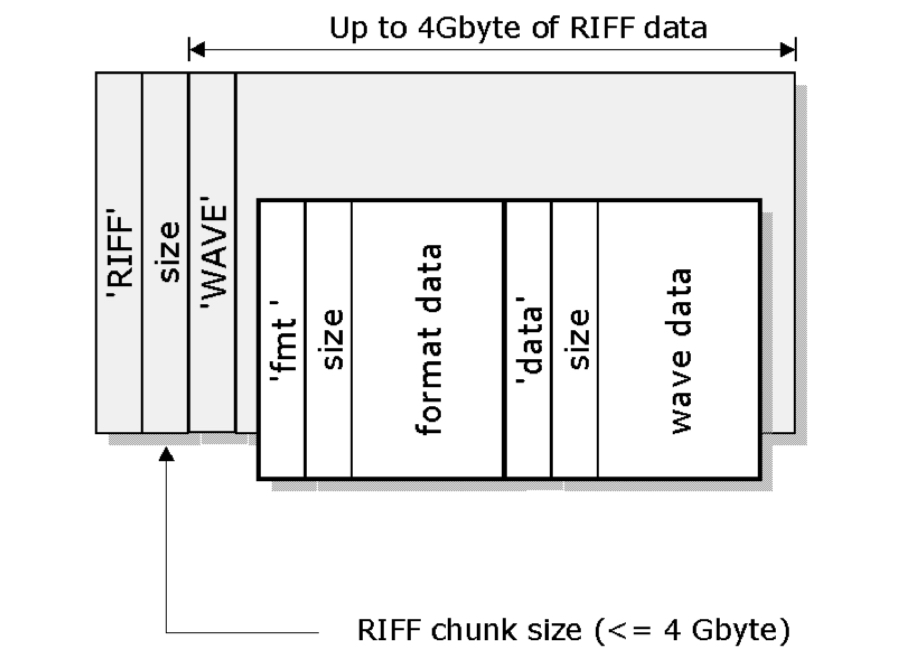
The structure of a basic wav file is as follows:
[!NOTE] I will lay out a very basic structure of a riff file. RF64 is laid out quite differently so I haven't explained that here. If you're interested the spec is quite easy to read and goes into more detail
-
RIFF: The file begins with the ASCII characters RIFF, identifying the file format as a RIFF file
-
Size: Immediately after ‘RIFF’, a 4-byte (32bit) field specifies the size of the entire RIFF data (excluding the RIFF and size fields).
-
WAVE: After the size field, the identifier WAVE indicates that this RIFF file is specifically a WAV file
-
fmt : Or the format chunk. This is typically the first sub-chunk within the RIFF/WAVE structure, and it contains essential information about the audio format for interpreting the raw audio data in the file such as:
- Audio format (e.g., PCM for uncompressed audio).
- Number of channels (e.g., 1 for mono, 2 for stereo).
- Sample rate (e.g., 44100 Hz).
- ... And a few more fields
-
bext: This is a structured format for storing metadata.
-
iXML: In 2003 this optional chunk was included in the specification. It allows much more flexibility in how you add metadata.
-
data: Finally the actual audio data, which is typically encoded in PCM format. Each sample is arranged according to the format specified in the fmt chunk. For example, in a 4 channel polywav, 24-bit WAV file, each sample consists of four 24-bit values (one per channel), repeated for the duration of the recording.
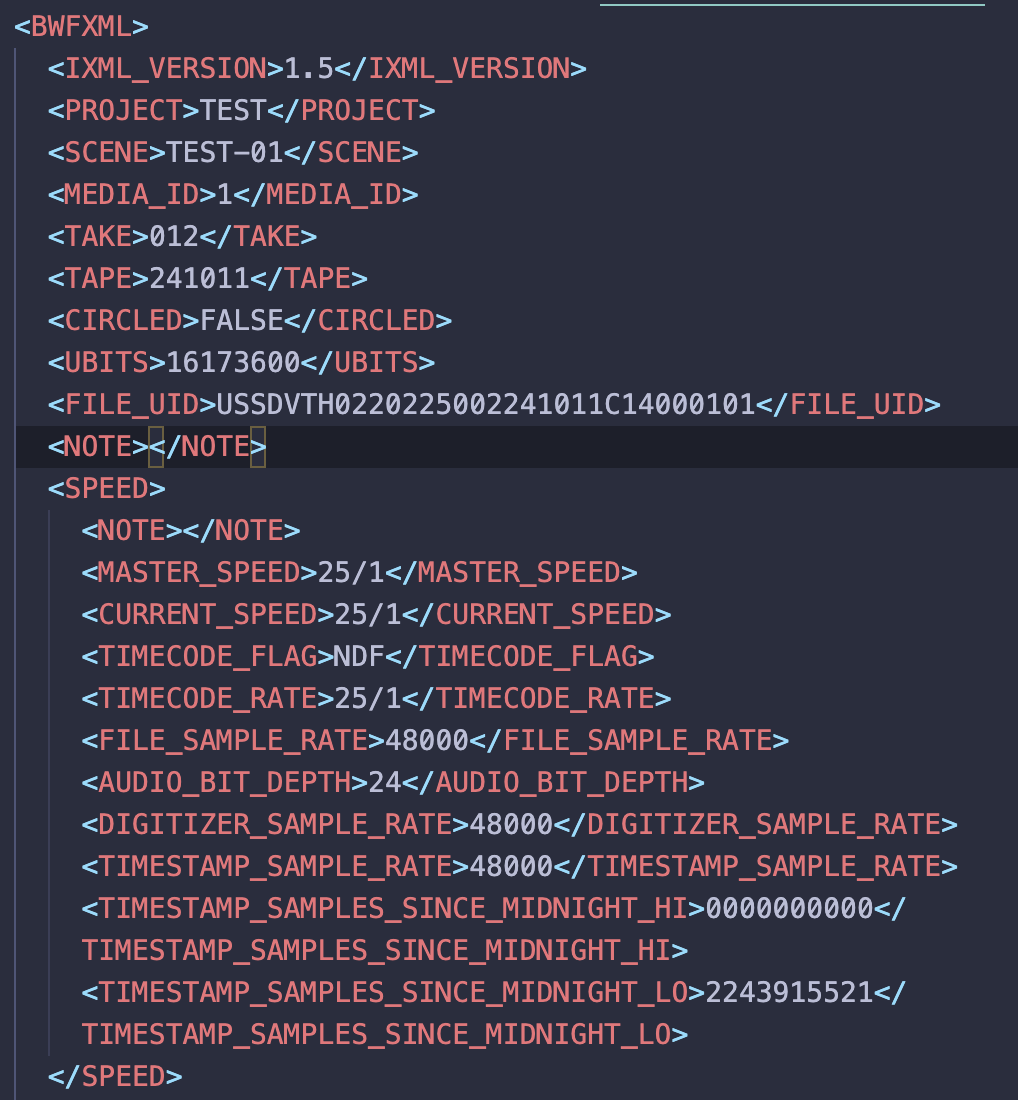
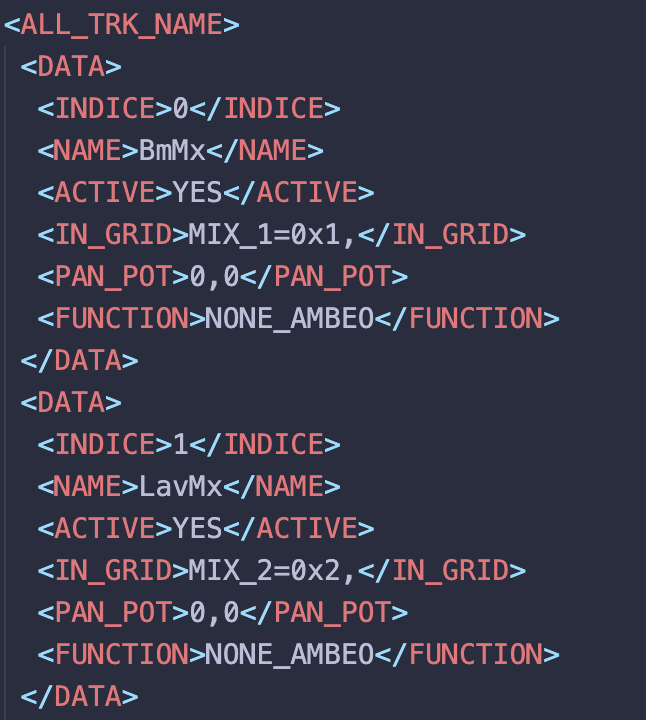
As you can see it is a nested xml tree structure similar to many other structures in computer science (like HTML for example). These iXMLs have no constraints to how the metadata is laid out or even what metadata is included. For example in an Aaton Cantar file (RIP) they even include data such as routing information, pan pot position and Ambisonics metadata.
But how do we view these fields and what does it practically look like to store data inside a wav file?
I find concepts like these all academic until I can actually see them in action or interact with them in some way. A hex editor (or a tool like xxd if you're handy with the terminal) allows you to view the inner chunks of a file. Here I'm using the free and open-source Hex Fiend.
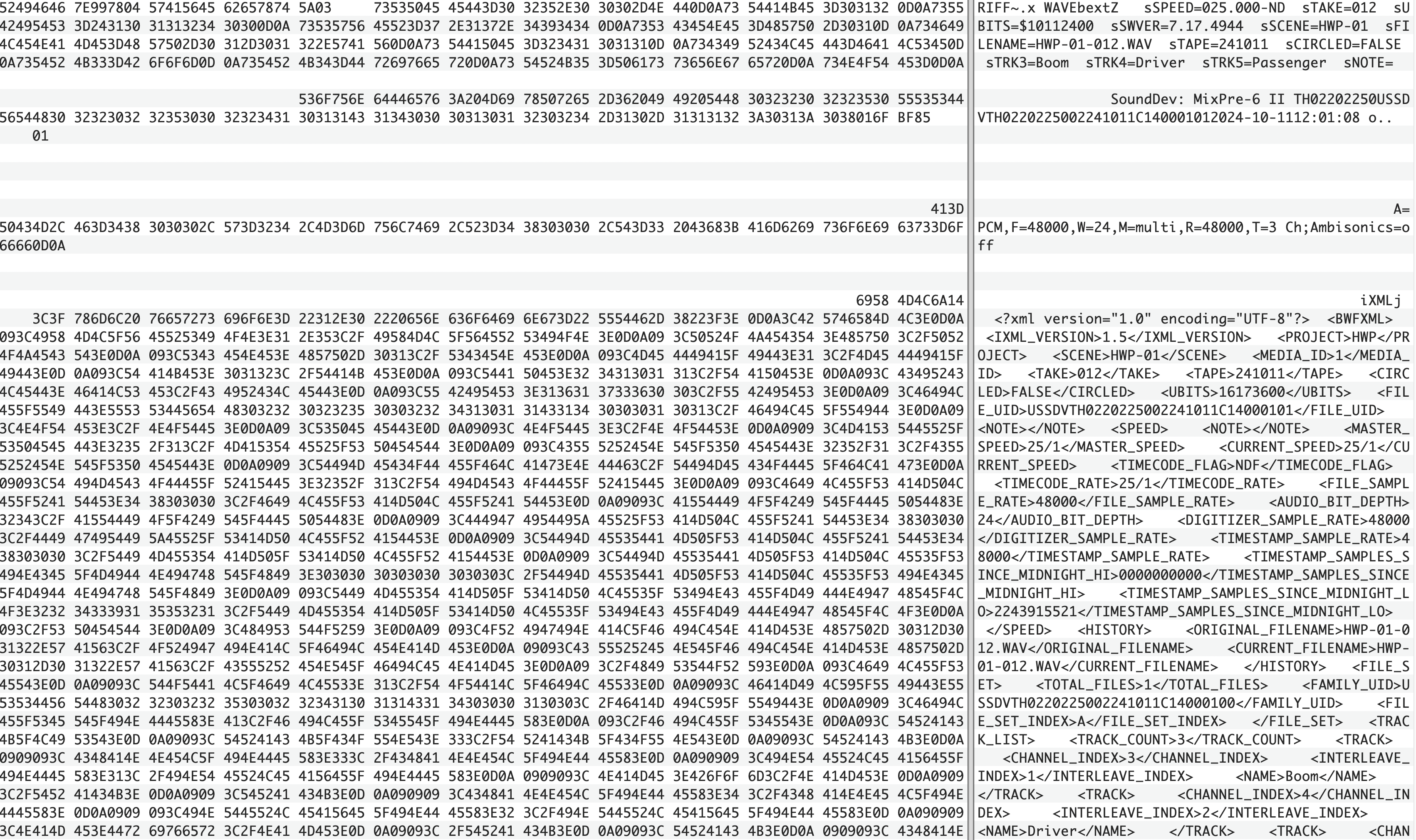
On the left you can see the data represented in text as hexadecimal (a base 16 digit) which is in essence an easier way for developers to view binary as each hexadecimal represents 8 bits - making it more compact that raw binary and easier to reason about. On the right the program is translating this hex into ascii digits for us to read. The beauty of this is that you can actually see the seperate chunks and headers - along with the padding in the file which allows for some flexibility in the size of the bext and ixml chunks.
RF64
As mentioned previously the RF64 format was developed in order to overcome the hard 4Gb limit imposed by RIFF files. This was caused by the 32bit addressing of a RIFF file in which it stores its file size. Essentially we can store 2<sup>32</sup> = 4,294,967,296 values in a 32bit integer which is roughly 4Gb. If a RIFF file was to store a size larger than that in the riff chunk we'd get what's known as buffer overflow and the format breaks.
RF64 solves this by storing values in 64bit integers, essentially squaring our file size limit: 2<sup>64</sup> = 1.8446744074e19.
What's neat is that the spec actually tries to enforce some amount of backwards compatibility by specifying that a recording device should always begin by creating a RIFF format and only modify it to be an RF64 file after it exceeds the 4Gb limit.
Editing a File's Metadata
Now interestingly due to the size headers we cannot just open a text editor and mess with the metadata directly. The main reason for this is unless you have exactly the same size counts within the file your header chunks size calculations will be incorrect and thus break the wav file's expected format.
Instead, editing needs to be handled much more delicately on a lower programming level. As it stands now there are three options.
- BWF MetaEdit - This tool allows viewing of multiple different formats however it's quite an outdated interface and won't allow playback of any kind.
- Wave Agent - A great and very well engineered tool for it's time however it doesn't handle modern formats such as 32-bit float and RF64.
- Meta Sound Tools - Now time for a shameless plug: I've been working tirelessly on this app which does all of the things listed here and much more. If you're after an all in one toolbox for BWAV files then give this one a try